
By ANICK JESDANUN, AP Technology Writer
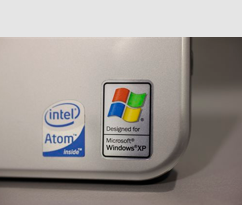
NEW YORK (AP) — Microsoft has said goodbye to Windows XP.
Although the operating system is more than 12 years old, and Windows XP computers haven’t been shipped since 2010, there are still millions of them in use.
It’s estimated that as much as 25 percent of Windows PCs in the workplace are running XP. Consumers tend to be even slower in upgrading.
Why so many XP computers?
XP’s successor, Vista, was unpopular, so many XP owners held off upgrading. In addition, many consumers are buying smartphones and tablet computers instead of upgrading old PCs.
Microsoft Corp. is pushing remaining XP owners to upgrade to a newer operating system, such as Windows 7 or 8. It will still be possible to use existing Windows XP computers after Microsoft retires it Tuesday, but that comes with risks.
Here’s a guide to the risks and your options.
___
Q. What happened on Tuesday (April 8)?
A. That was the day Windows XP reached what Microsoft calls “end of support.”
XP made its debut in 2001 and retired from retail stores as boxed software in 2008. PC makers were allowed to sell computers with Windows XP for another two years.
In recent years, Microsoft hasn’t done much with XP beyond releasing updates on the second Tuesday of each month to fix newly discovered security flaws. This Tuesday was the last time Microsoft did that for XP, so any problems discovered after that won’t get fixed.
You’ll still be able to run XP computers and install past updates. If you need to reinstall XP from scratch, you can do so if you still have the discs that came with your computer.
Microsoft will still provide updates for its anti-malware software for XP until July 2015, but the company warns it will offer limited protection.
___
Q. How do I know if my computer is running XP?
A. This Microsoft site will check: http://amirunningxp.com. If you have XP, the site will go through your options.
Even if you don’t visit the website, you may still get a pop-up notification, depending on how your computer’s configured to check for Windows updates.
___
Q. If XP will still run, why do I need to upgrade?
A. A big reason is security. Hackers know Microsoft will no longer fix security flaws, so evil-doers have extra incentive to look for them. In addition, if a flaw is found for Windows 7 or 8, there’s a good chance a similar issue exists for XP as well. So when the fixes come out for Windows 7 or 8, hackers can go back to XP to look for an opening.
Hackers have become more sophisticated, and lately they have been breaking into computers for financial gain rather than just pride. So the risk is greater than when Microsoft retired past systems such as Windows 95 and 98.
There are also performance issues. If you buy a new printer or scanner, it might not work on XP. Same goes for new software, particularly if it needs faster processors and more memory beyond what was standard in XP’s heyday. XP also lacks features that are common with newer operating systems, including energy-saving measures for laptops.
___
Q. What are my options for upgrading?
A. You can upgrade to Windows 7 or 8 by buying a disc.
You will need to back up your files and have discs for any programs you may have installed, as upgrading requires completely wiping your hard drive and starting from scratch. Microsoft sells Windows 8 as an upgrade for $120; be sure to buy the DVD version and not the download. Retail sales of Windows 7 have ended, though you might be able to find leftover copies for sale online.
That said, it’s probably not worth the upgrade. Your XP computer is several years old and might not even meet the system requirements to upgrade. Use this tool to check: http://bit.ly/KkZERx .
Even if an upgrade is possible, the money is better spent toward a new computer. Microsoft says many PC makers are offering deals timed to XP’s retirement.
Be aware that either way, you may also need to buy new software, as older versions might not run on Windows 7 or 8. Microsoft, for instance, is also ended support for Office 2003 on Tuesday.
___
Q. My XP computer works fine and fits my needs —and I don’t want to spend money on an upgrade or a new machine. What should I do?
A. If despite the warnings, you are still running XP, here are a few things to do:
First, be sure to run all of Microsoft’s previously released updates, plus the last one on Tuesday.
Then think about what you really need the computer for. If you don’t need an Internet connection, unplug it. That will minimize the risk. Be careful about attaching USB storage drives, as that might introduce malicious software.
If you need the Internet, refrain from using email, Facebook and other communications channels through which malicious software might travel. Use a tablet, phone or another computer instead.
It’s also a good idea to lock down your computer by using a profile that lacks administrative rights. That will make it harder to install anything new, including malicious software.
Mikko Hypponen of F-Secure suggests removing older software applications you no longer use. The less you have running, the less vulnerability you’ll have.
Gartner fellow Neil MacDonald says XP computers on corporate networks have more options, including using XP only for crucial software that won’t run on more up-to-date systems and accessing a virtual desktop remotely for email, Web and other modern tasks. He says companies can also pay Microsoft for customized fixes beyond Tuesday, but that gets expensive.
___
Q. Why did Microsoft do this?
A. As technology improves, it makes less sense to support something designed a PC generation or two ago. The company’s resources are better spent on making newer products better.
Apple does this, too, with its OS X system for Mac computers, though it doesn’t announce end dates for older versions as Microsoft does. Unlike Microsoft, Apple now offers upgrades for free.
___
Q. Don’t ATMs, retail payment systems, medical devices and other gadgets also run XP? What are my options?
A. Check with the manufacturer. MacDonald says there are two types of XP for so-called embedded systems, one of which will receive support until January 2016.
___
Online:
Microsoft blog post: http://bit.ly/1kmVCaQ
XP checker and options: http://amirunningxp.com
Windows 8 upgrade: http://bit.ly/1mQBzCe
Other upgrade resources:
http://windows.microsoft.com/en-us/windows-8/upgrade-from-windows-vista-xp-tutorial
http://windows.microsoft.com/en-us/windows/end-support-help
http://windows.microsoft.com/en-us/windows-8/upgrade-to-windows-8
